Support
Install Raptool Client
The Raptool Client runs your Raptool apps on PCs, phones, handhelds and tablets. You sign in once with your Raptool Account and open every app your company gives you.
Windows PC
PCs and Windows tablets
Download the installer
Click Windows PC above.
Run the installer
Open the downloaded file and follow the steps.
Start Raptool
Start Raptool from the Start menu.
Updates come by themselves
When an update is ready, a bar says Update ready – Restart.
Android
Phones, tablets and handheld scanners
Open this page on the device
Tap Android above to download the app (.apk).
Allow the install
If Android asks, allow installing from the browser, then tap Install.
Open the Raptool Client
Find Raptool in your apps and open it.
Managed devices
Your admin may give you the managed version instead, for remote help through Device Manager.
iPhone and iPad
Open the App Store
Search for Raptool.
Install the Raptool Client
Tap Get, then open it.
First start
Sign in or set up the device
Type your work e-mail
Type it in Enter your activation key or email… and tap the round arrow.
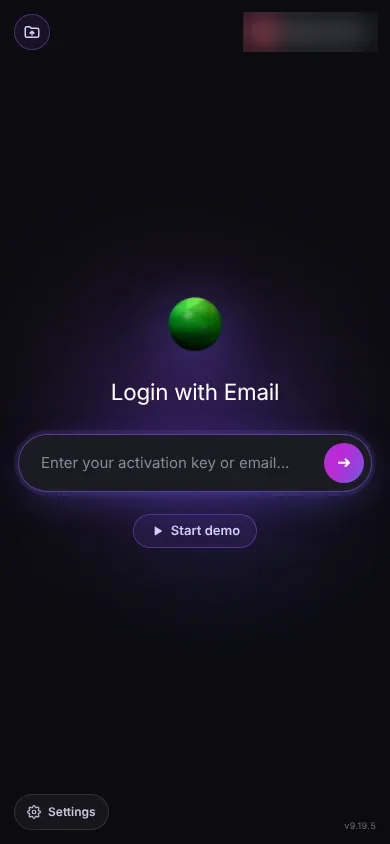
The start screen on a phone Type your password
Tap the arrow again. Your apps load. New user? Open the invite e-mail from your admin first and choose your password.
Shared device? Use a QR code or key
Tap Scan QR code on the start screen and scan the device QR from your admin, or type the activation key in the same box.