Device Manager · Mobile device management
Manage every business device from one dashboard.
Enroll, monitor, support and secure the scanners, tablets, PCs and kiosks that run your Raptool apps. See what every device is doing, help users remotely and keep your fleet up to date, without walking to the device.
The basics
What is mobile device management?
Mobile device management (MDM) lets you enroll, set up, monitor, support and secure all your business devices from one place. Instead of walking to each scanner, tablet or kiosk, you see the whole fleet in a dashboard and act on it remotely.
Raptool Device Manager does this for every device that runs the Raptool Client. Each device reports in, so you always know if it is online, which versions it runs, how its battery is doing and whether its licence is OK.
A device that stops working stops the work: a receiving desk that cannot scan, a kiosk that shows an error, a picker with a flat battery. The more devices you run, the harder it gets to keep them all set up the same way.
With device management you spot problems before users report them, help users in minutes by looking at their screen, roll out updates to everyone at once and lock a lost device out of your apps straight away.
The full device lifecycle
From first scan to last day in service.
Device Manager covers every stage of a device's life in your business, in one place.
Enroll in minutes
Activate any Raptool Client device with an activation key, or enroll Android devices as device owner by scanning a QR code. The device appears on the dashboard as soon as it reports in.
- Activation keys for every Raptool Client
- Android enrollment by QR as device owner
- Zebra StageNow, OEMConfig and LifeGuard
- OEMConfig for Honeywell and Datalogic
Set every device up the same way
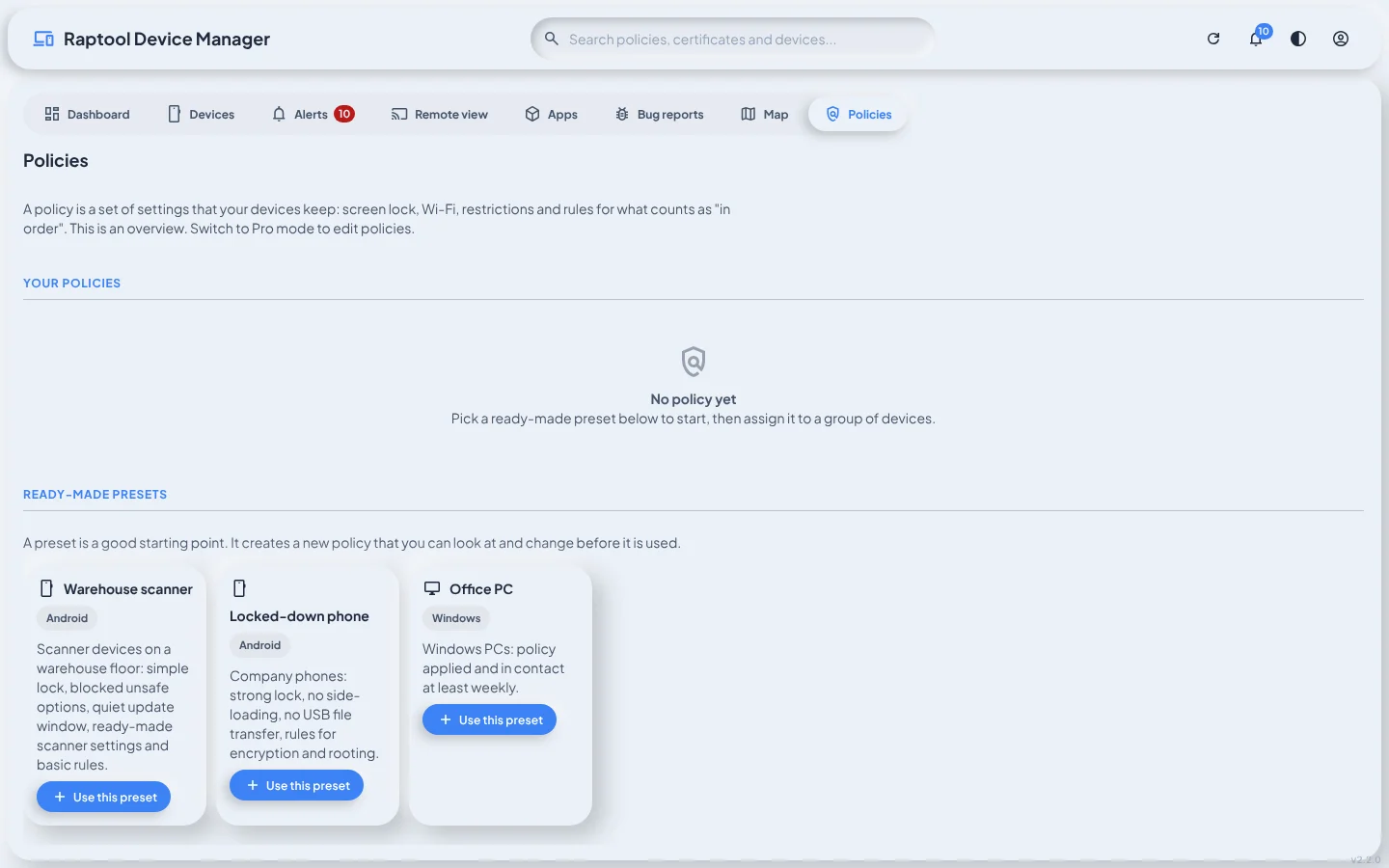
Push the apps your team needs, apply policies and profiles, and sort devices into groups with tags and notes, so a new device works like the rest from day one.
- Apps and app updates rolled out from the dashboard
- Policies and profiles for groups of devices
- Silent app install and OS-level kiosk mode on Android
- Groups, tags, notes, asset barcode and warranty date
Know what every device is doing
See how many devices are online, which ones have licence or compliance problems, and whose warranty is ending. Charts show uptime, versions and battery levels across the fleet.
- Online, offline and sessions today
- Licence problems and non-compliant devices
- Client and OS versions by release and build
- Battery levels, alerts and a device map
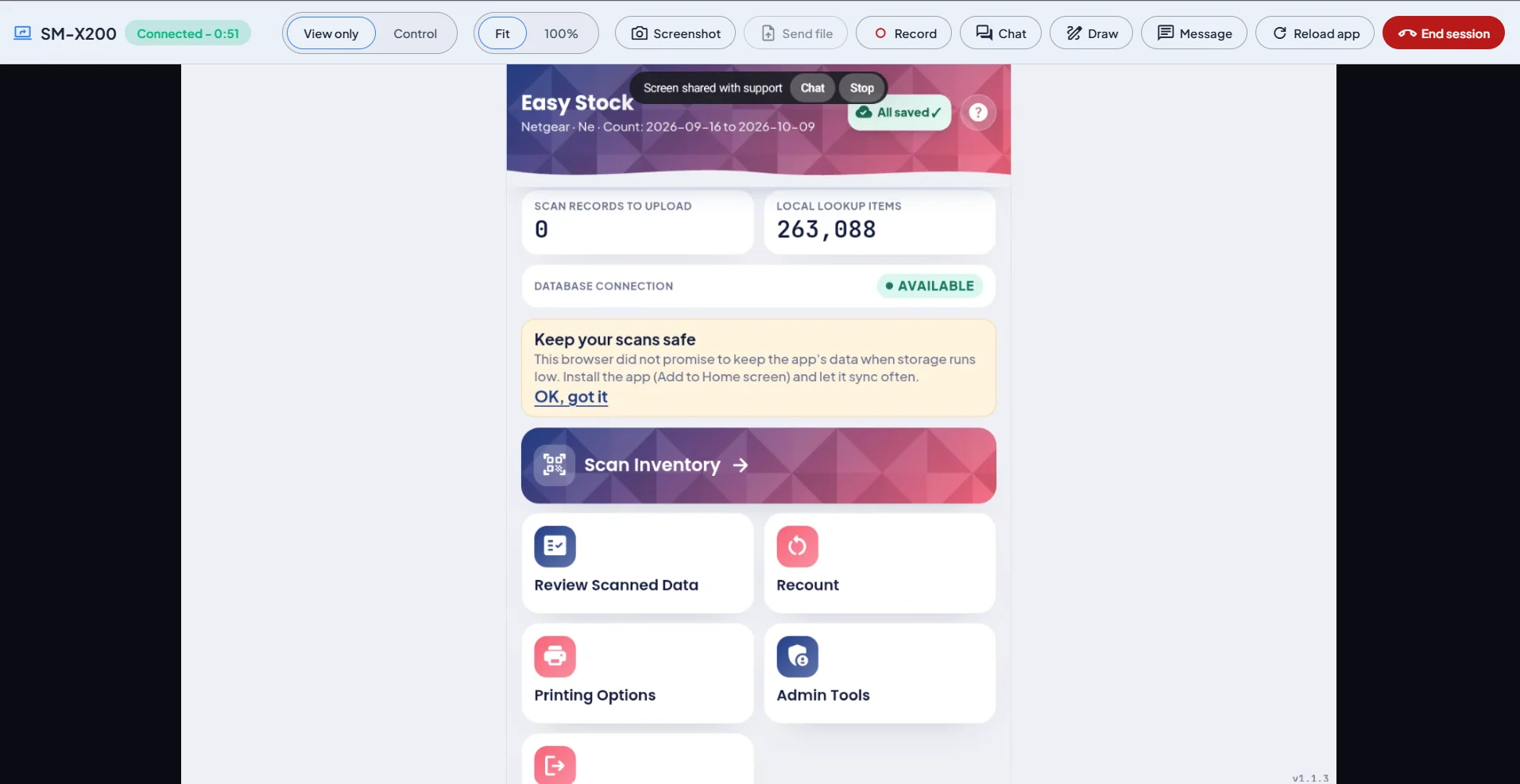
Help users without being there
Connect to a device to see exactly what the user sees, or take control to fix it yourself. Quick commands solve the common problems in one click.
- Remote view, or connect with control
- Chat, draw, send a file and record the session
- Reload app, back to menu, restart client
- Take a screenshot or send a message
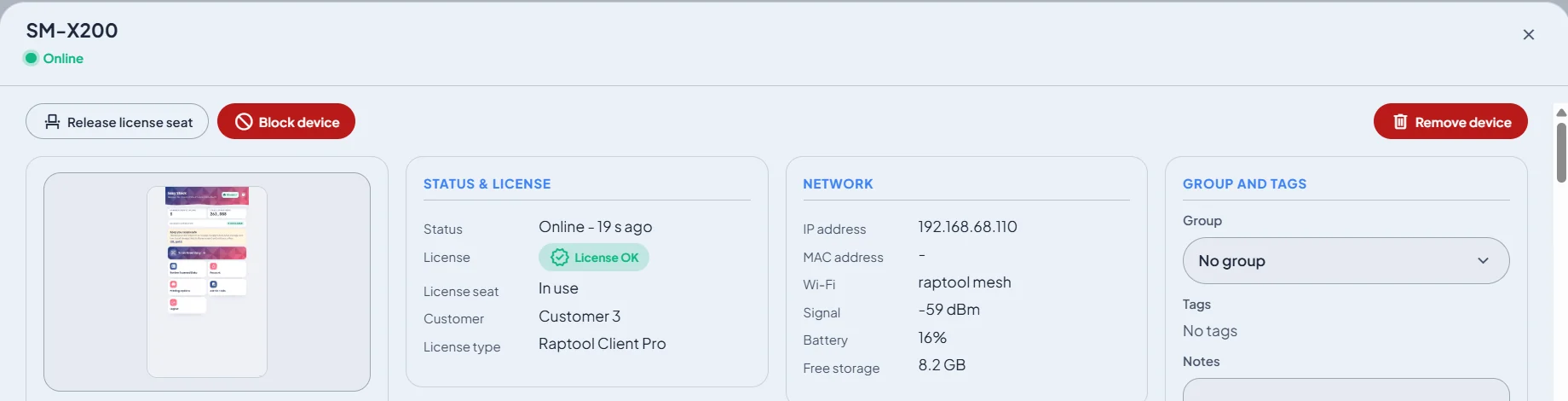
Keep data safe to the very end
If a device is lost or stolen, block it so it can no longer open your apps. When a device is replaced, release its licence seat for the new one, then remove the old device from your fleet.
- Block a device from your apps
- Release a licence seat for a replacement
- Remove retired devices
- Lock and wipe Android devices enrolled as device owner
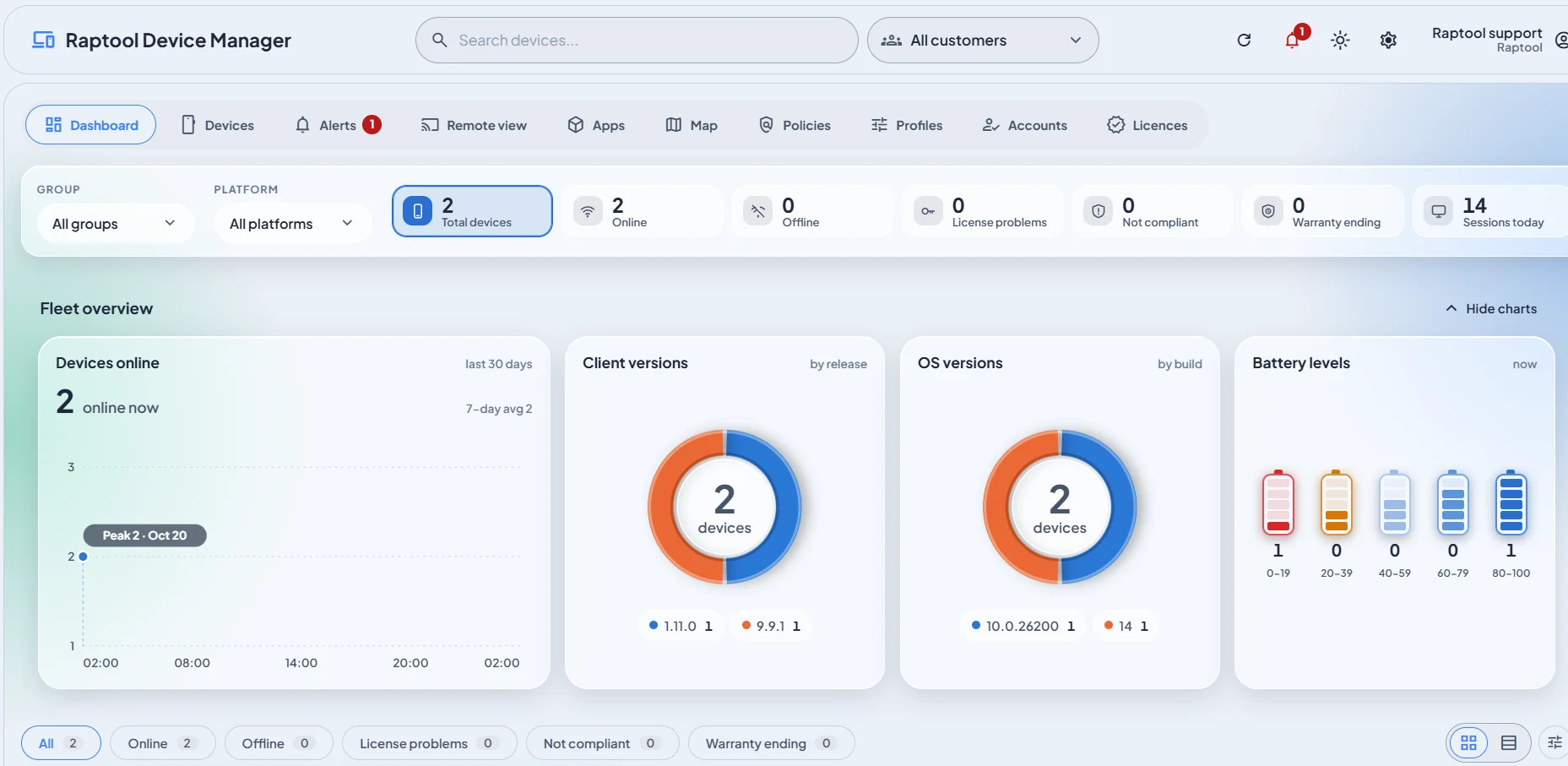
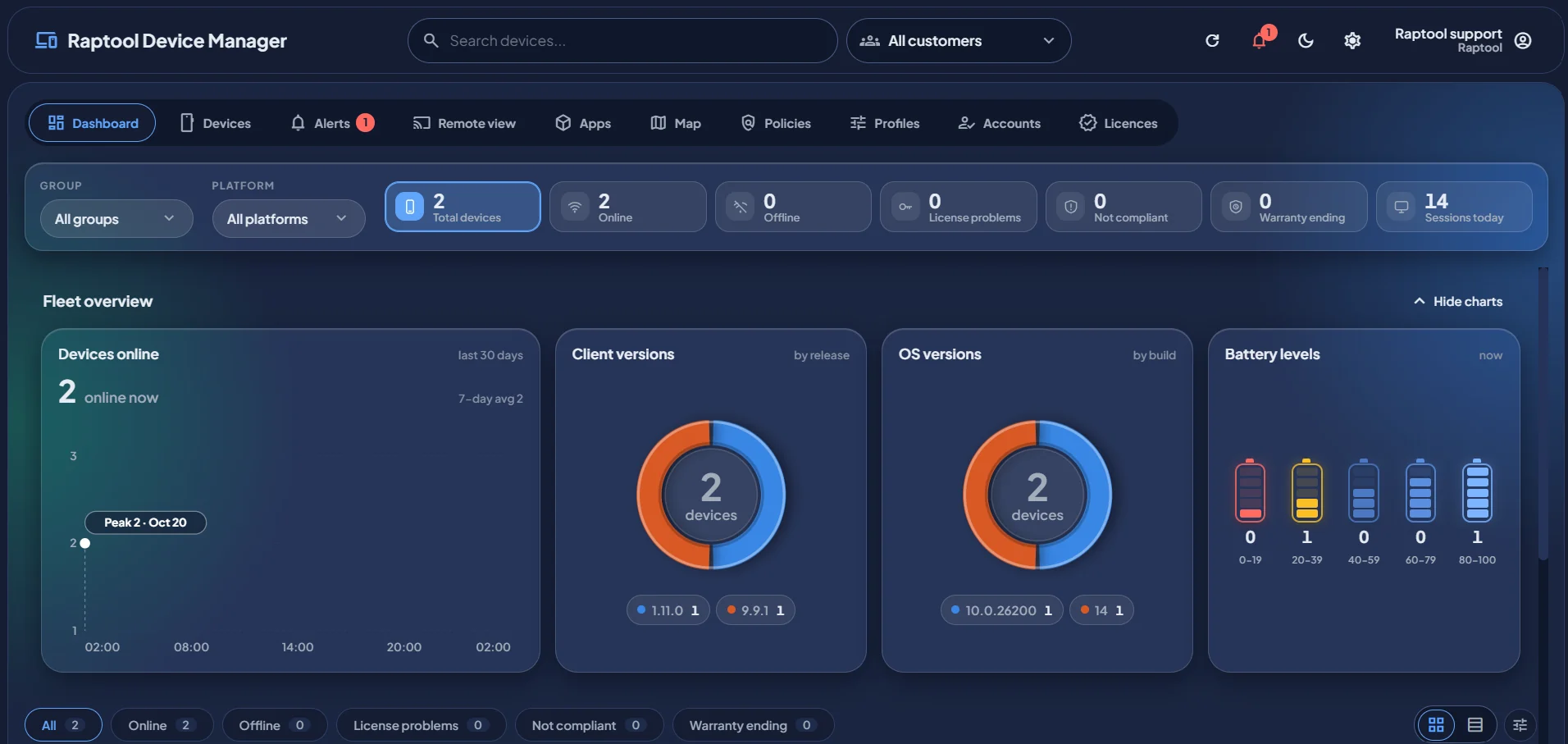
Fleet overview
Your whole fleet, at a glance.
Filter by customer, group and platform. Every number is a shortcut to the devices behind it. Light or dark, whichever suits your desk.
See which devices are reachable right now, and the 30-day trend with peaks and a 7-day average.
Spot licence problems before users do, and see which customer and licence type each device uses.
Find devices that break a policy, and devices whose warranty is about to end.
Client and OS versions by release and build, and battery levels across the fleet, so you know who needs an update or a charger.
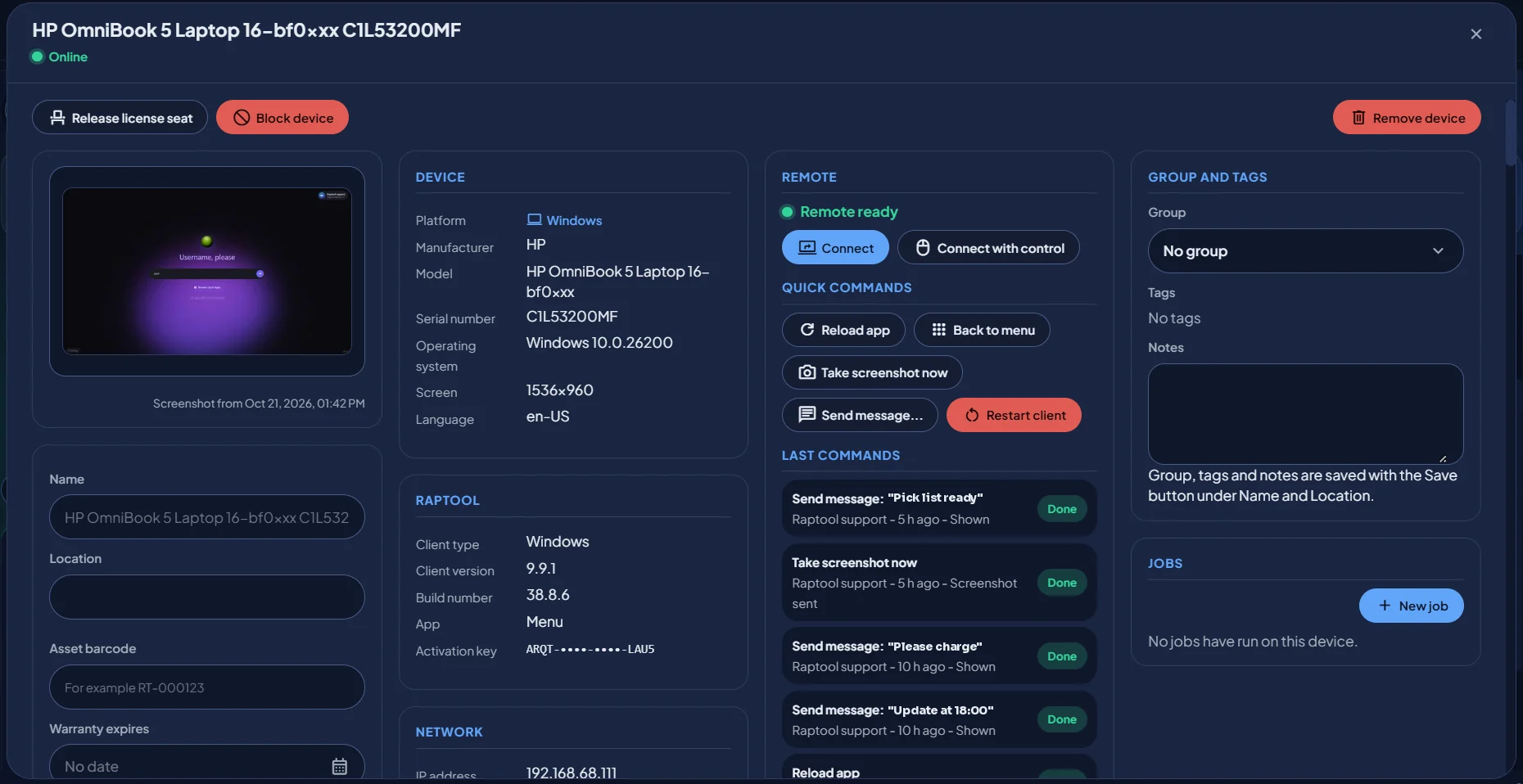
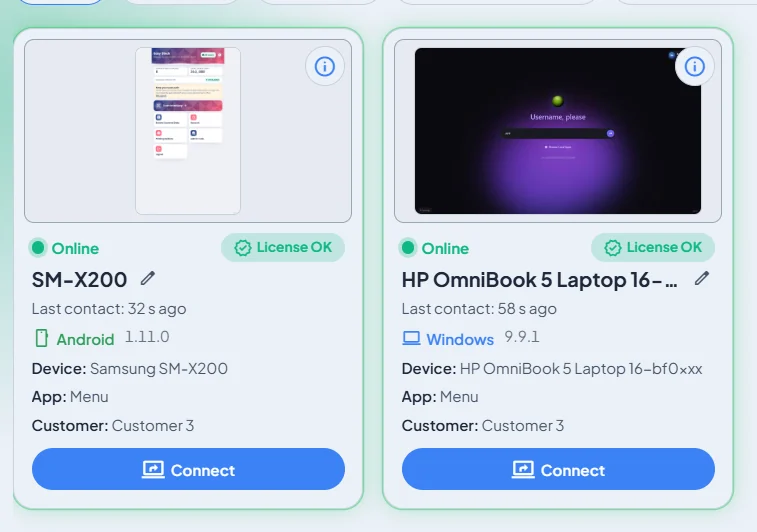
Device details
Everything about a device, on one card.
Open any device to see its status, hardware and network, then act on it from the same screen.
- Device and networkModel, serial number, OS, screen, language, IP address, Wi-Fi, signal, battery and free storage.
- Raptool detailsClient type and version, build number, the app that is open and the activation key.
- A log of every commandSee who sent which command, when, and whether it was done.
- Your own labelsName, location, asset barcode, warranty date, group, tags and notes, plus jobs to run on the device.
Remote view and control
See the problem. Fix it remotely.
Connect to the Raptool Client on any device and see exactly what the user sees. Switch to control when you need to tap through it yourself.
Why teams use it
Less walking. More working.
Follow one support call: a scanner on the floor gets stuck, and it is fixed from the office without anyone leaving their desk.
- Goods receiving 1Android · Easy StockOnline
- Packing deskWindows · MenuOnline
- Scanner 3Android · Easy StockOnlineApp not responding
- Warehouse kioskWindows · KioskOnline
- Goods receiving 1Android · Easy StockOnline
- Scanner 3Android · Easy StockOnline
- Warehouse kioskWindows · KioskOnline
- 1Device reports inThe scanner tells the Device Manager its app stopped responding
- 2AlertThe problem shows up on the dashboard before anyone calls
- 3Remote viewSupport sees exactly what the user sees
- 4Fix with one clickReload app is sent and confirmed as done
- 5Back to workScanning carries on. Nobody walked to aisle 14
Save time on every fix
Look at the screen, reload the app or restart the client remotely instead of travelling to the device.
Fewer surprises
Licence, compliance, warranty and battery warnings show up on the dashboard before they stop the work.
The same setup everywhere
Apps, policies and profiles keep every device in a group configured the same way.
Protect your data
Block lost or stolen devices from your apps straight away, and lock or wipe enrolled Android devices.
Clear lines per customer
Customers see only their own devices and activation keys. Partners and Raptool support see the devices they look after.
Updates without the legwork
See which devices run old client or OS versions, then roll out app updates from one place.
Industries
Built for the devices that keep you running.
Wherever your team scans, picks, checks in or serves, Device Manager keeps the devices behind it working.
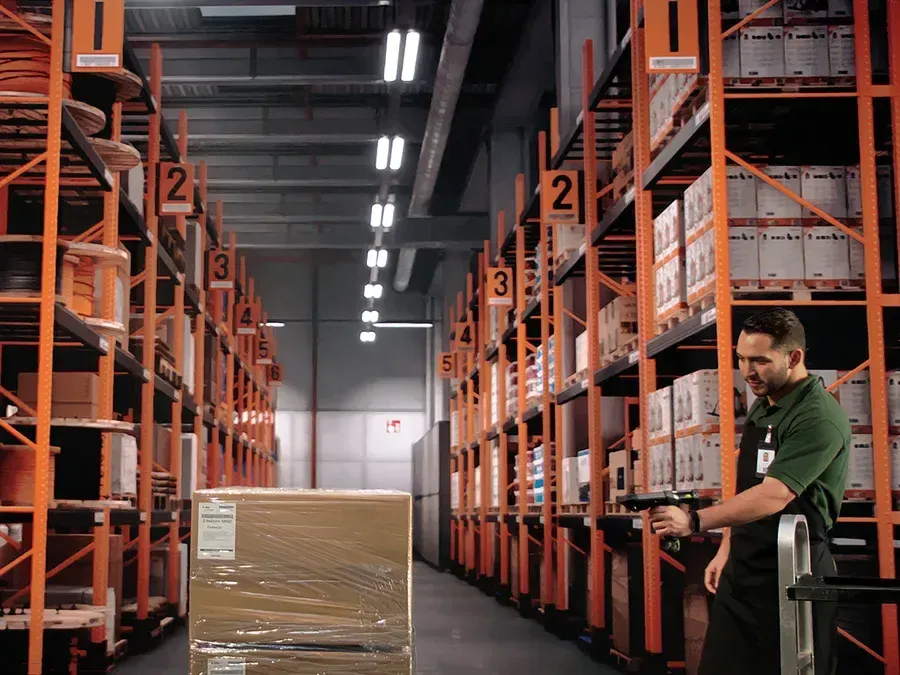
Warehouse and logistics
- Keep handhelds and wearables charged and online
- Same picking and receiving apps on every device
- Fix a scanner during the shift, remotely
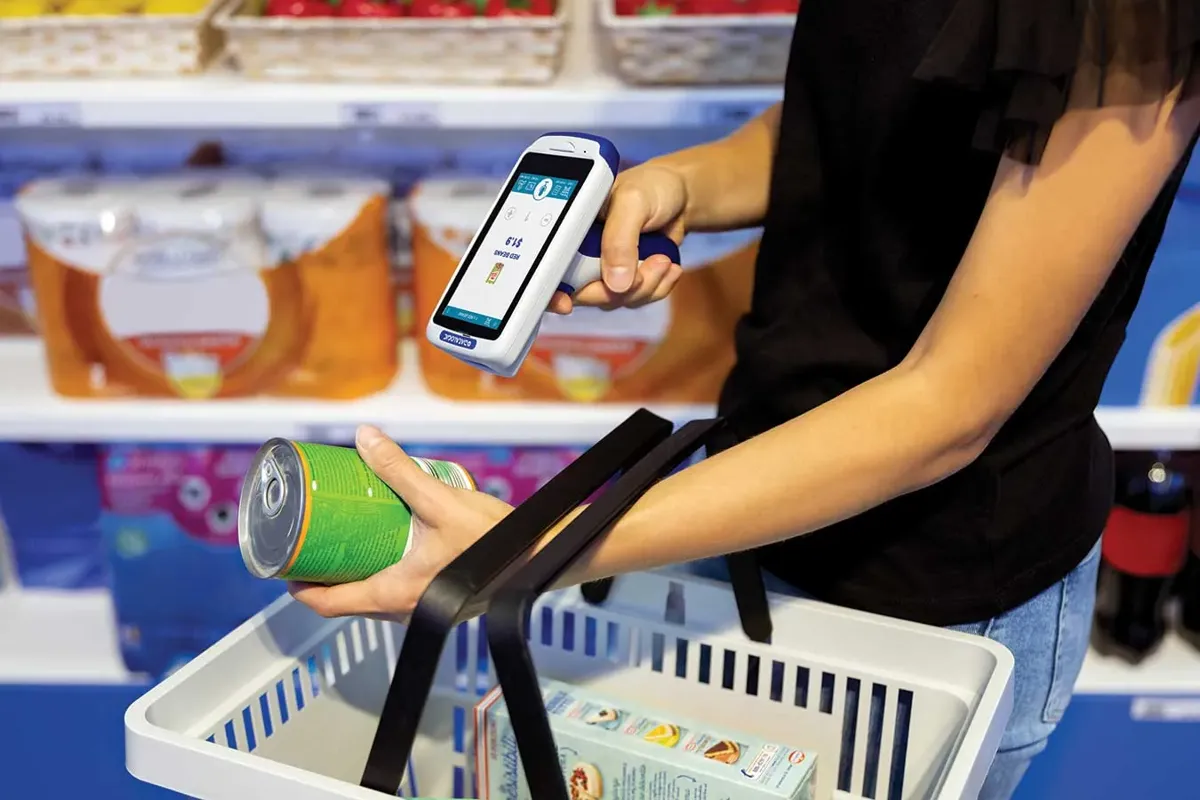
Retail
- Manage devices across every store
- Stock count and label apps always up to date
- Block a missing device from your apps
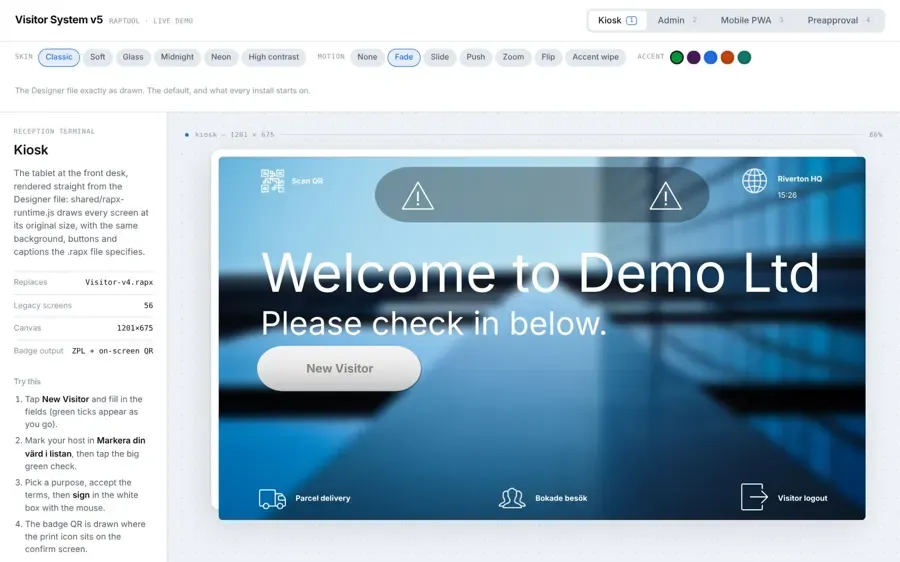
Kiosks and reception
- Keep kiosks locked to one app
- See the screen of every kiosk from your desk
- Reload the app when a screen stalls

Hospitality
- Tablets and handhelds for staff, ready every morning
- One overview across sites and teams
- Send a message to a device on the floor

Field service
- Support technicians wherever they are
- Track versions and battery on the road
- Asset barcode and warranty date per device
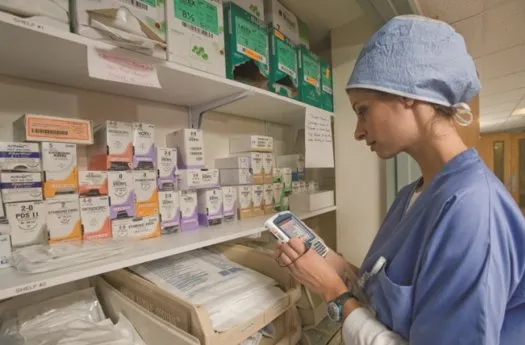
Healthcare
- Shared devices set up the same way
- Compliance status for every device
- Lost devices locked out of your apps
FAQ
Device management questions, answered.
What is mobile device management (MDM)?
Mobile device management is software that lets a company enroll, set up, monitor, support and secure its business devices from one place, instead of walking to each device. Raptool Device Manager does this for every device that runs the Raptool Client.
What is the Raptool Device Manager?
Device management for devices running the Raptool Client. It shows status, screenshot, last contact and licence for every device, and lets you activate, update, support and control them from one dashboard.
Which devices and platforms can I manage?
Any device that runs the Raptool Client: handheld scanners, phones, tablets, PCs and kiosks on Android, iOS, Windows, macOS and Linux. Android devices enrolled as device owner by QR get the deepest control.
How do I enroll Android devices?
Enroll them as device owner with a QR code. That allows silent app install, OS-level kiosk mode, reboot, lock, wipe and policies. Other devices are activated with an activation key in the Raptool Client.
Does it work with rugged device makers?
Yes. It supports Zebra StageNow, OEMConfig and LifeGuard, and OEMConfig for Honeywell and Datalogic devices.
Can I see and control a device remotely?
Yes. Connect to view the Raptool Client screen, or connect with control to operate it. You can also chat, draw on the screen, send a file, record the session and send quick commands such as reload app or take a screenshot.
Does the user know when support is looking at the screen?
Yes. While a remote session is running, the device shows a "Screen shared with support" bar with buttons to chat or stop the session.
Can the Device Manager see personal photos, calls or messages?
No. Remote view shows the Raptool Client, and the dashboard shows device and app information such as status, battery, network, versions and licence. It is built for business devices and the apps your team uses for work.
What happens if a device is lost or stolen?
Block the device so it can no longer open your apps, release its licence seat for a replacement, or remove it from your fleet. Android devices enrolled as device owner can also be locked or wiped.
Who can see my devices?
Customers sign in and see only their own devices and activation keys. Raptool staff and partners can see all devices to give support and follow up on licences.
Does it have a dark mode?
Yes. Switch between a light and a dark theme with one click in the top bar.
Secure and manage every device from one dashboard.
Tell us how many devices you run and what you want to manage, and we will show you the Device Manager in a short Teams meeting.